
- Service history 128 records
- Inspections Next inspection 12 Jun 2025
- Documentation 234 documents
- Service job In progress
- Building services 24 assets
-
 QR identification
Building A – 3rd floor
QR identification
Building A – 3rd floor
Facility management under control.
- Cloud platform
- 99.9% uptime
- Support based in Czechia
- Data security
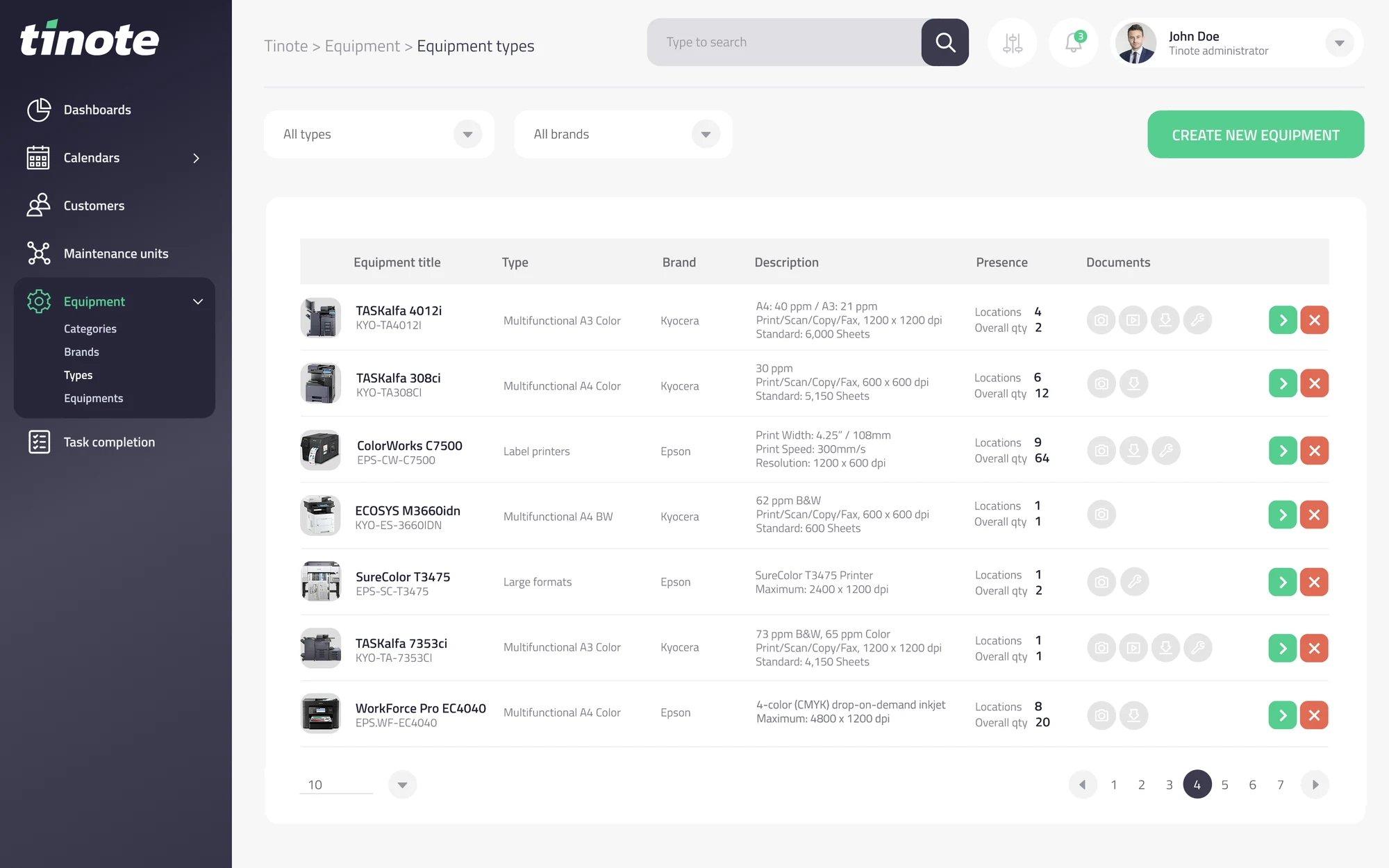
1All your assets in one place
You know what you have. Where it is. And what is happening to it.
Site, building, floor, room, equipment. The structure mirrors reality, so even a first-time user finds their way around.
- Site / company
- Building A
- 2nd floor
- AHU 04 air handling unit
- Switchboard R12
- Air conditioning K-01
- 1st floor
- 2nd floor
- Building B
- Warehouse
- Production hall
- Building A
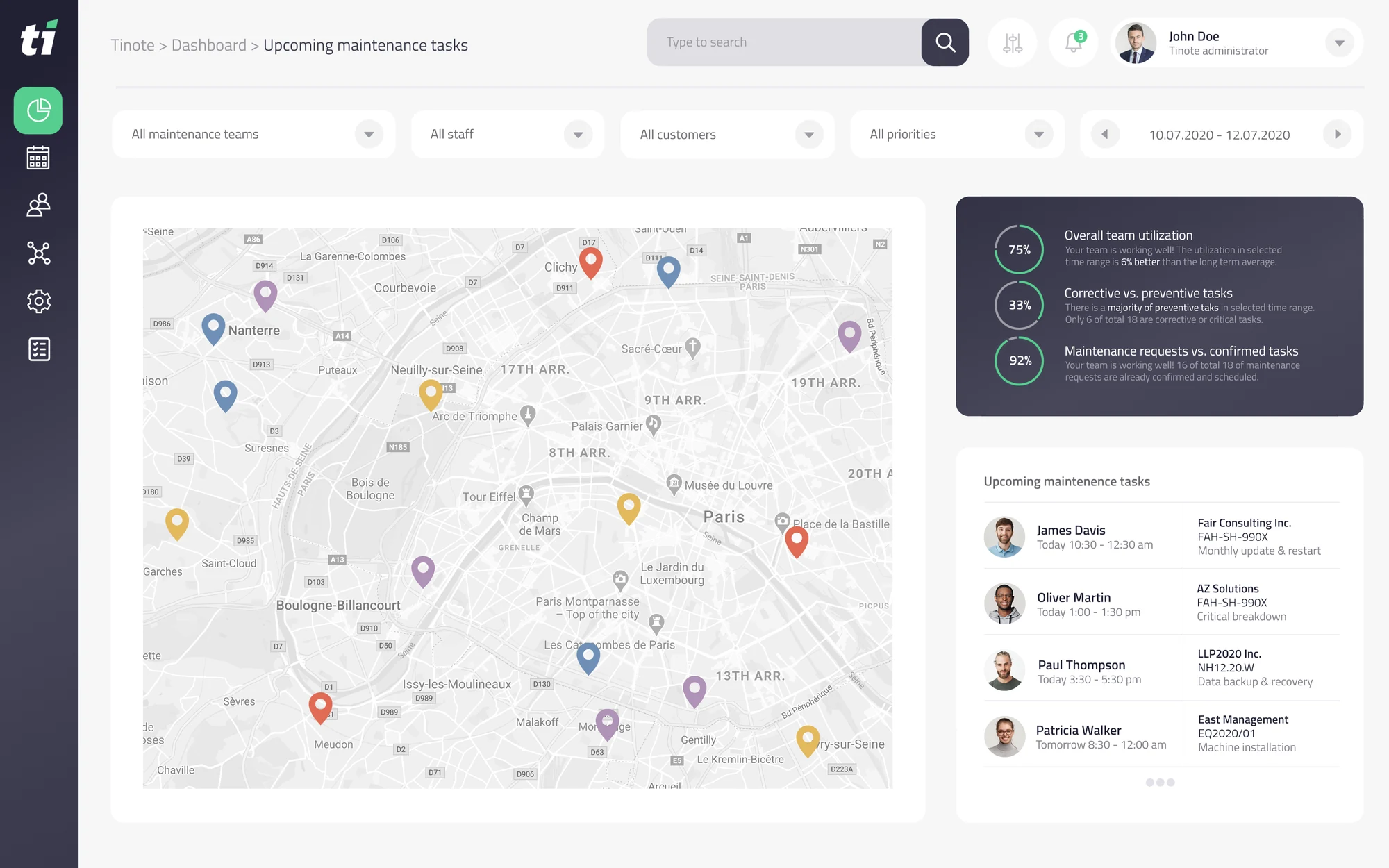
2Site and building map
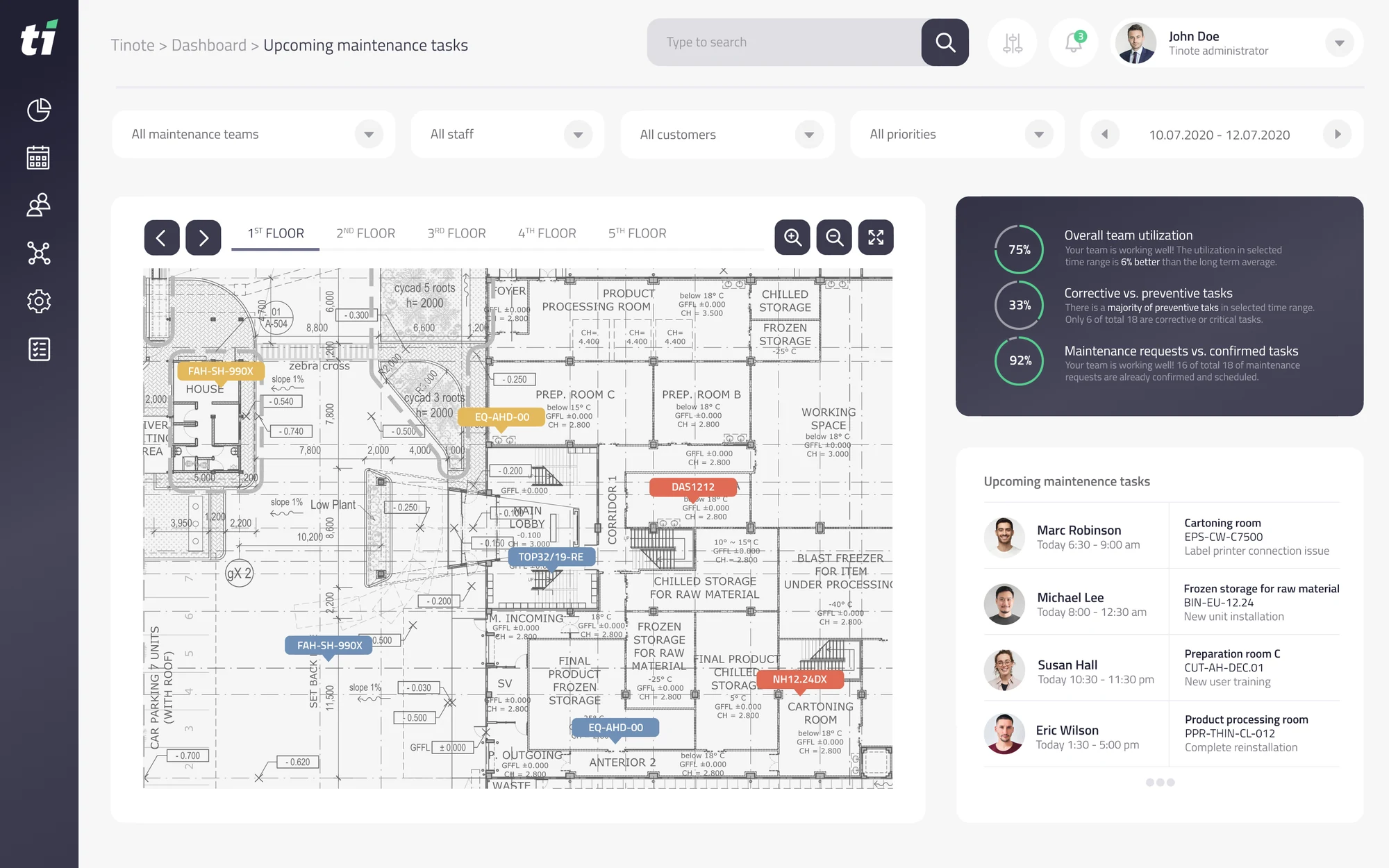
See your assets right on the map.
Sites on the map, equipment on the floor plan. Click a pin and you are straight at the status of that site.
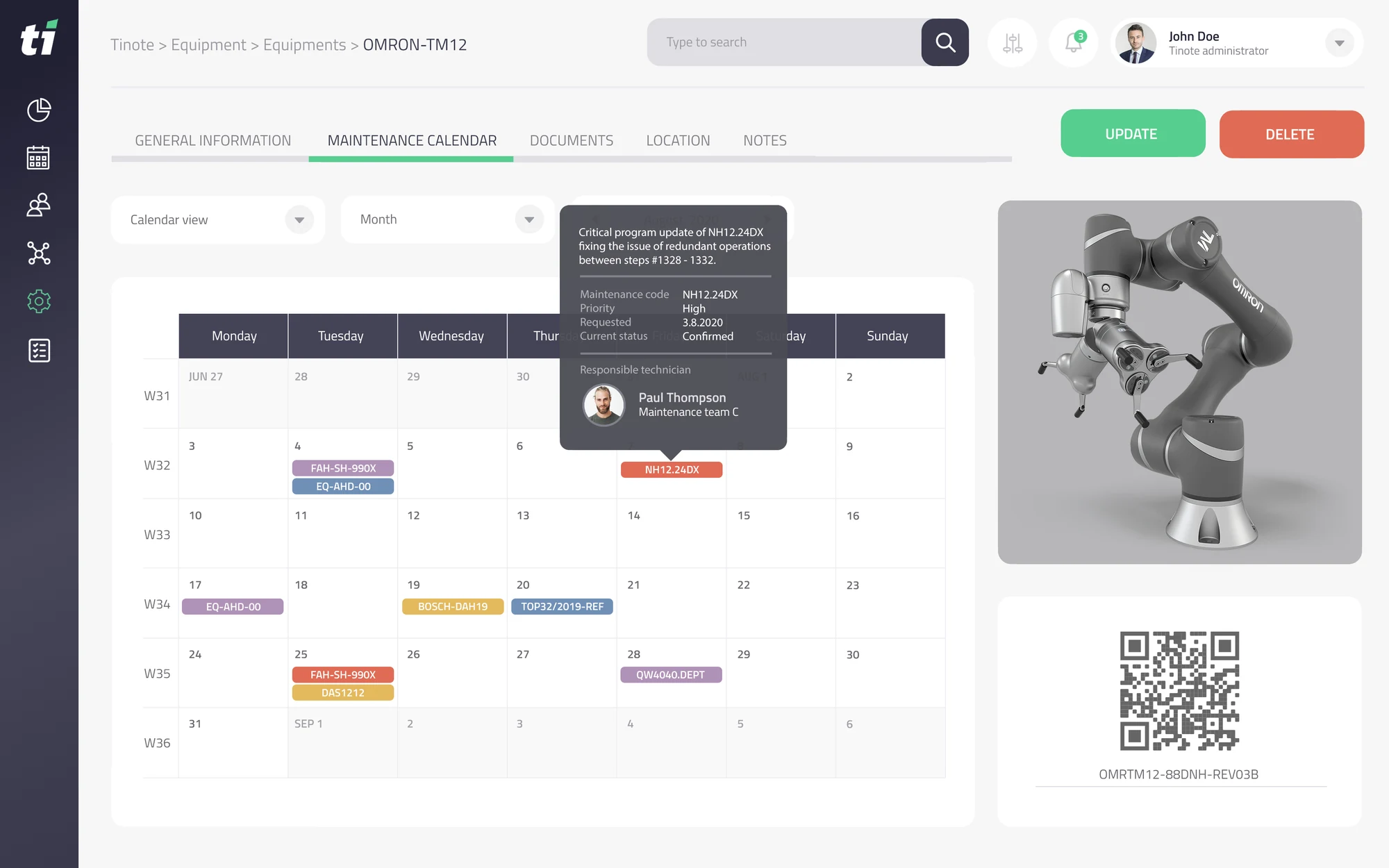
3Maintenance and inspection plan
TINOTE keeps an eye on the dates for you.
Statutory inspections, checks and service jobs all follow a plan. The system warns you before a date passes — not after.
Book a presentation
We will show you TINOTE on your own buildings
We will walk through a specific site with you — what equipment you keep records of, which inspections you track and what you are missing today.
Or simply call us on 777 000 948.
4Technicians' work
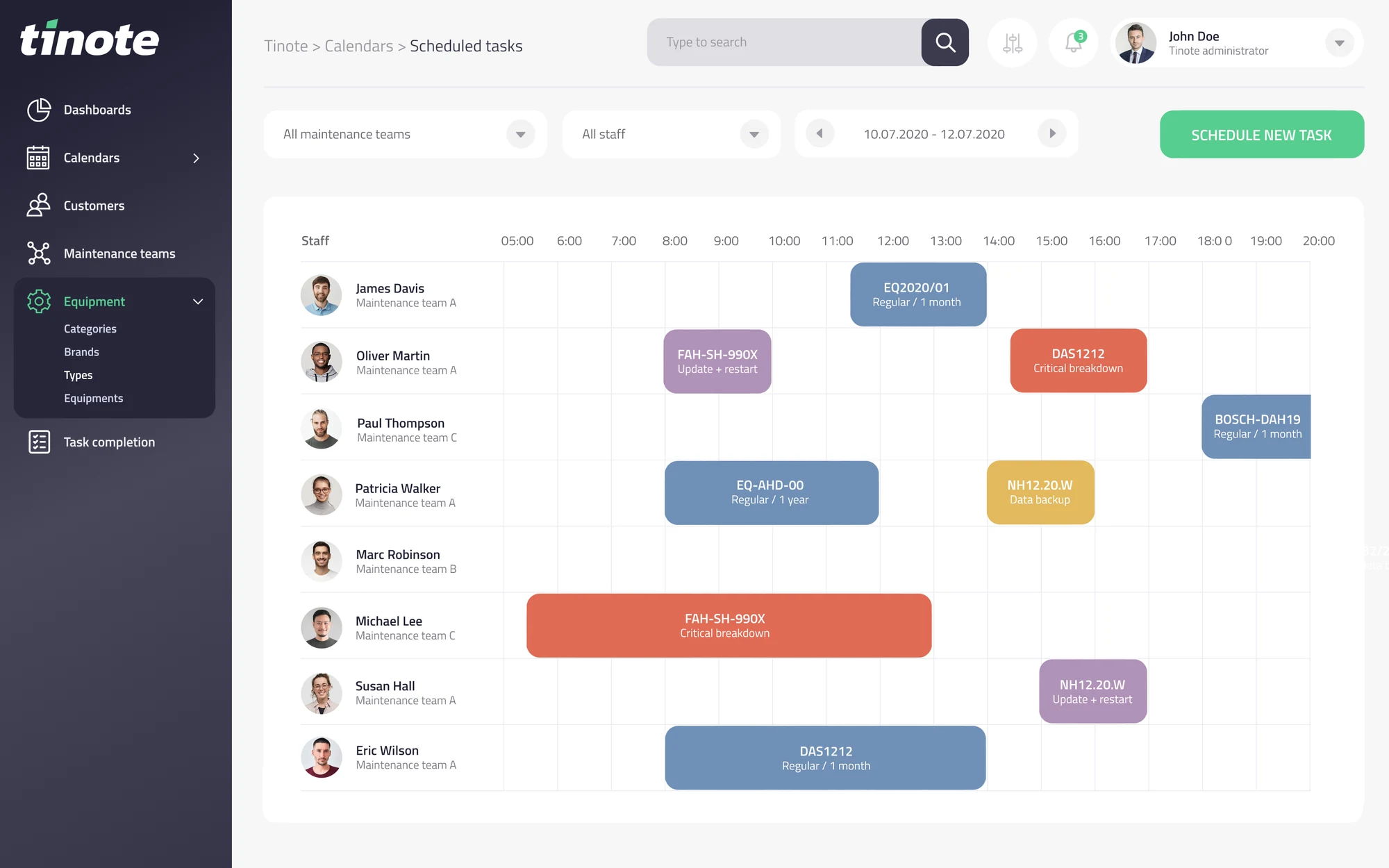
Schedule work for in-house technicians and external service companies alike.
You see the whole schedule on one timeline — your own people and your suppliers. The technician gets the task on their phone, together with the equipment documentation.
-
Jan Novák In-house technician
- 08:00 AHU 04 air handling unit Building A / 2nd floor
- 10:30 Air conditioning K-01 Office area
- 13:00 Compressor check Production hall B
-
External lift service External company
- 09:00 Routine lift check Building A
-
Electrical service External company
- 13:30 Inspection of switchboard R12 Building A / 1st floor
Show all tasks
5Equipment record
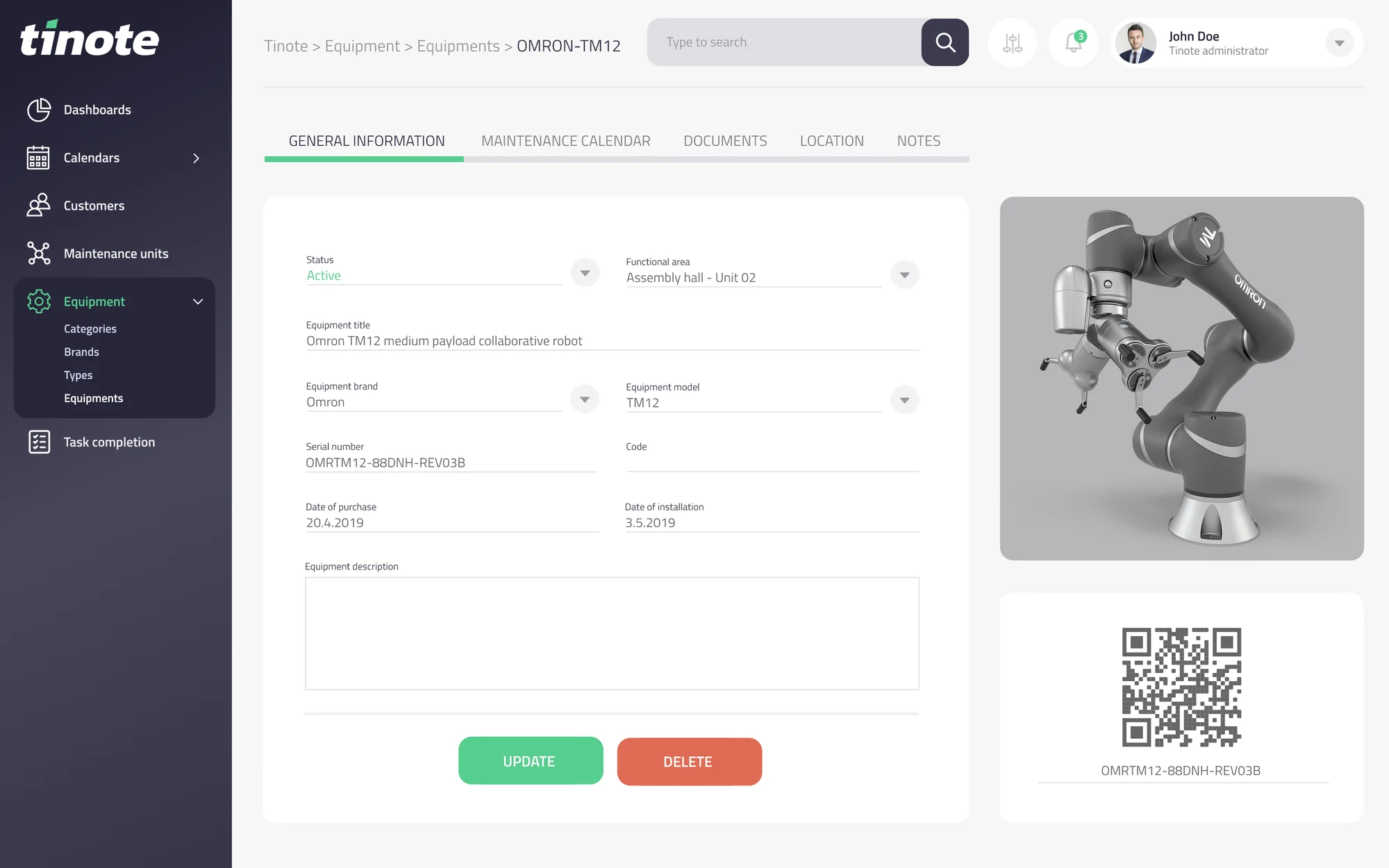
Every asset has its own digital service book.
Parameters, documentation, photos, inspections, service jobs and costs in one place. The QR code on the equipment opens its record right at the machine.
6Faults and requests
From reporting a fault to fixing it.
Anyone can report a fault from their phone using the QR code. You see what stage it is at and who is dealing with it.
- Reported
- Assigned
- Scheduled
- In progress
- Done
Report a fault
Add a photo
Submit request
Open faults
- Air conditioning K-01 Building A / 2nd floor In progress
- Lift B Building B Scheduled
- AHU 02 air handling unit Production hall A Assigned
7Documentation and inspections
Your documents are always at hand.
Everything clearly linked to buildings, equipment and individual inspections and service jobs.
- Inspection reports
- Manuals
- Warranty certificates
- Protocols
- Photos
- Contracts
- Technical documentation
- Other documents
Book a presentation
We will show you TINOTE on your own equipment
Write a few lines about what you need to keep records of. We will get back to you and arrange a date.
- A presentation on your own case, not a generic demo
- No installation — TINOTE runs in a browser and on a phone
- No obligation, even if you decide otherwise in the end